
Part of the Fix It In Post toolkit
Master and level up your Instagram feed.
One click from raw clips to a scroll-stopping post. Grid Pup turns your footage and photos into 3×3 grid videos, cinema-style stacked cuts and seamless multi-slide carousels, rendered at full quality on your Mac. Built for people who would rather be shooting than fighting a timeline just to show off their work.
- 90% off for subscribers
- Pay once, no subscription
- Runs on your Mac
- Your footage never leaves your machine
Every video below is a real Grid Pup render from real client shoots. One click each.
Nine clips become one post. A wedding at the estate: couple, car, grounds, all moving at once.
Golden hour at the beach bar: cocktails, plates and sea air in one frame.
Sea swims and shoreline. Suggest 9 balanced these blues and greens automatically.
From the chef’s pass: ice cream, flame and plates, cut together in seconds.
Subscribers pay $1.90
Grid Pup is $19, pay once and keep it forever. Newsletter subscribers get 90% off: join the list below and we will email you your subscriber discount code, which makes the full app $1.90 at checkout. Not a trial, not a cut-down version: the whole thing, as a thank you for being part of the pack.
What it does
- Nine-up grid videos. Nine clips playing at once in a single composited video. Point it at a folder and Suggest 9 picks a palette-balanced set by colour and exposure, spread around the hue wheel so the grid pops.
- Cinema cut. Three landscape clips stacked as full-width cinematic bands in one 1080p frame, with the hero slot in the middle. The showreel look, no timeline required.
- Triple stack. Three clips stacked tall for Reels and Stories, full-bleed 9:16.
- Seamless carousels. Your assets stitched into one wide panorama, then sliced into slides that line up edge to edge. Swiping feels like scrolling one continuous scene.
- Sliced stack. Three shots cut into cinematic strips that reveal across three swipes. Nine pieces, one story.
- Scrapbook. A freeform canvas: drag shots on, resize, tilt and layer them like a real scrapbook, then render the whole thing as swipeable slides.
- Framing control everywhere. Double-click any tile and drag the shot inside its frame. Videos and photos mix freely.
What it looks like
This is the whole workflow. Point Grid Pup at a folder of clips, let Suggest 9 balance the grid by colour and exposure, drag anything you want to change, hit render. The videos above came out of exactly this screen.
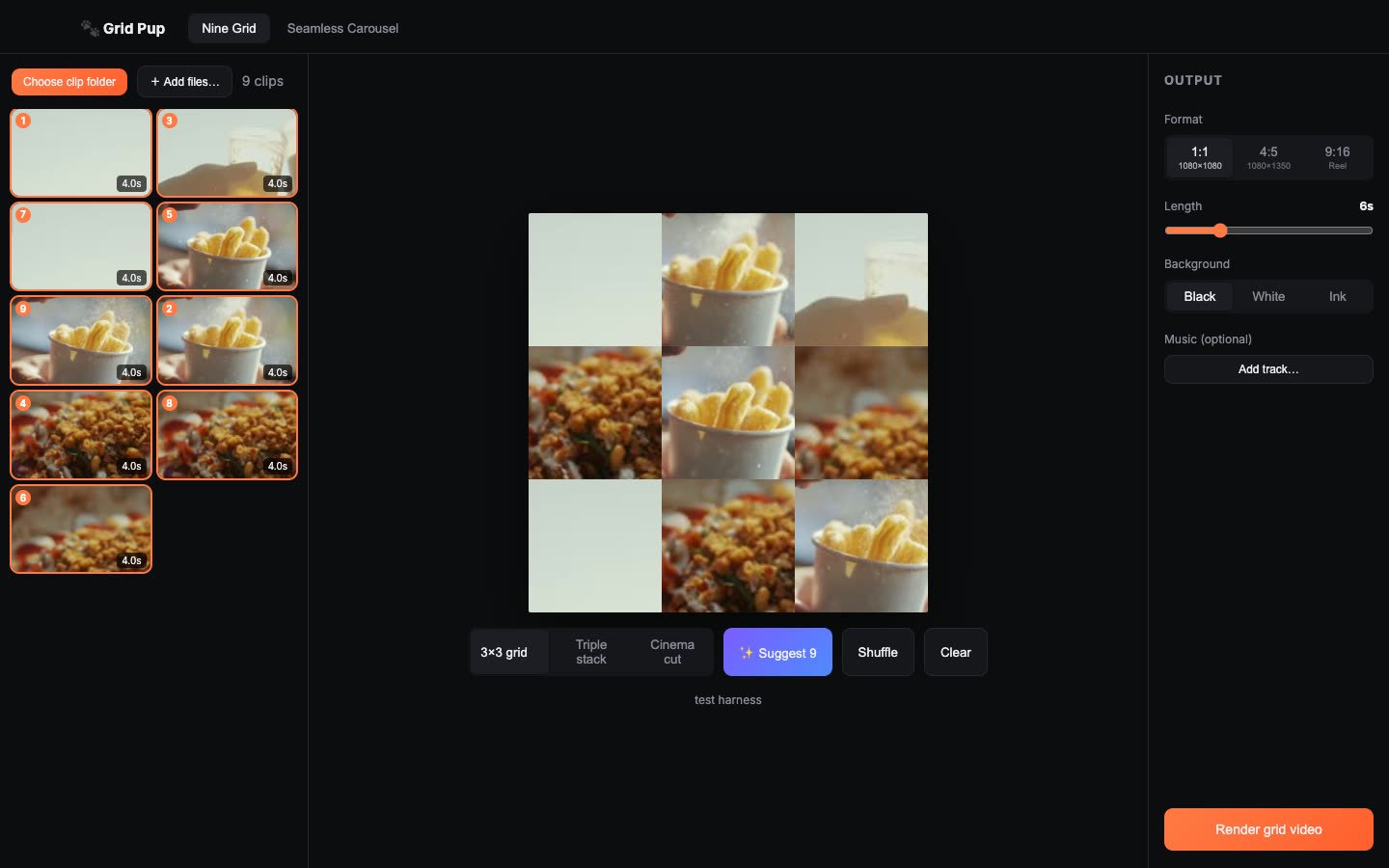
The Nine Grid tab: library on the left, your grid in the middle, format and music on the right.
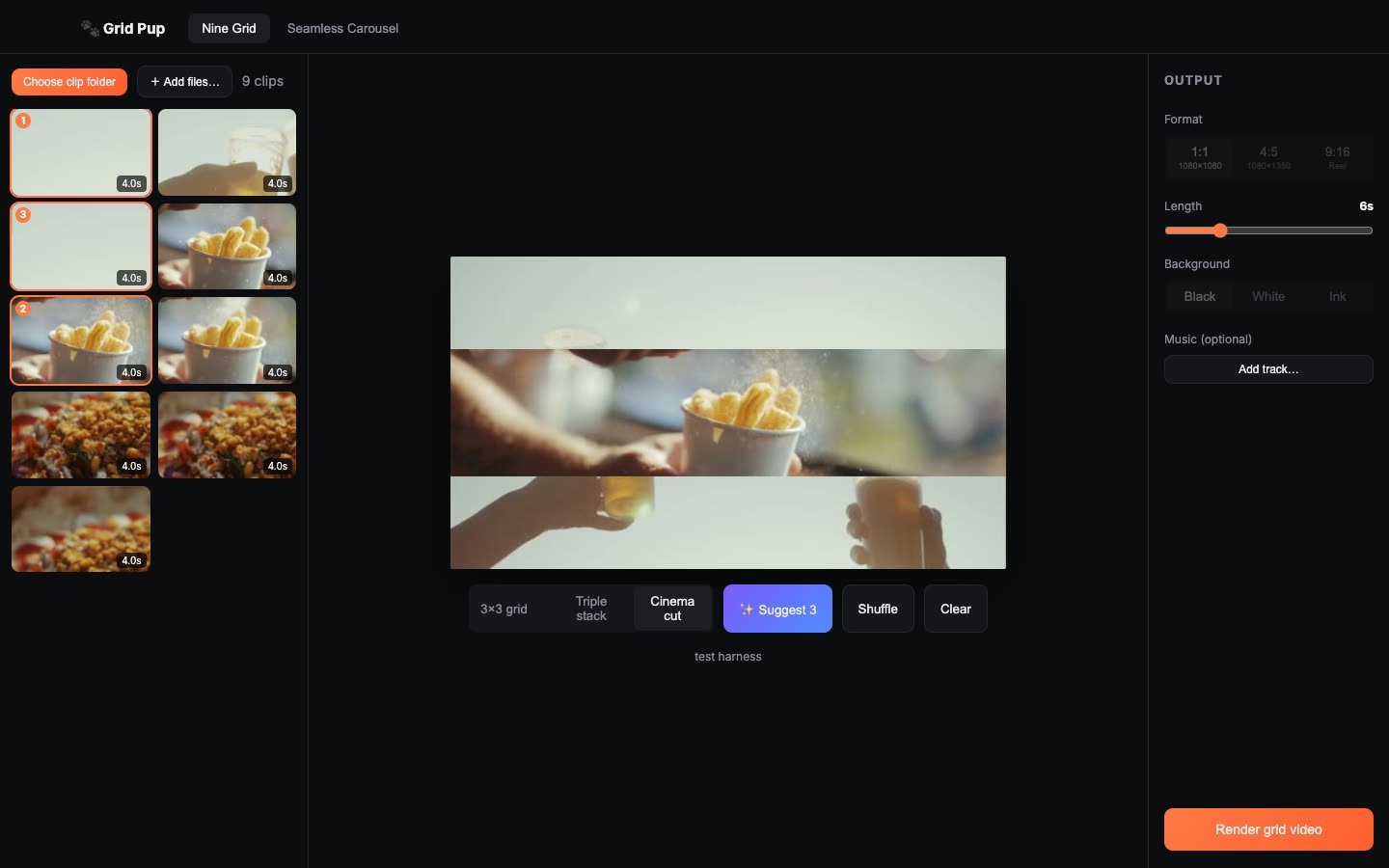
The Cinema cut layout. Double-click any band to reframe the shot inside it.
And what that renders: three shots stacked in one 1080p frame, hero slot in the middle.
Who Grid Pup is for
Anyone with more good work than time to post it.
- Creators feeding a hungry grid: turn one shoot into a week of posts, each one built to stop a thumb.
- Photographers with hundreds of keepers per job: show nine at once instead of drip-feeding singles, with Suggest 9 balancing the palette for you.
- Video pros sitting on showreels nobody scrolls to: cinema cuts and seamless carousels put your best three shots in one frame, sized for the feed.
If your camera roll is full and your feed is empty, this is the fix.
Why it is different
The usual way to make these posts is a template subscription in someone’s browser tool: upload your footage, wait for their server, pay every month, get a watermark. Grid Pup renders everything locally with professional video tooling. Full quality in, full quality out, sized for Instagram at 1080×1080, 1080×1350 or 1080×1920. Nothing uploads, nothing streams, nobody else’s logo on your work.
Available now Grid Pup is in daily use on real client work. Buy it below, or join the newsletter first and get 90% off with your subscriber code.
Frequently asked questions
How much does Grid Pup cost?
$19 as a one-time purchase. Newsletter subscribers pay a tenth of that: join the list and we email you a discount code that makes it $1.90. Subscribing is free, so the pack price is open to everyone. No trial clock, no catch.
What does it export?
Standard MP4 video and JPG slides, sized for Instagram: 1:1 grid posts, 4:5 carousel slides and 9:16 Reels. Files land on your Mac, ready to post from wherever you normally post.
Does my footage get uploaded anywhere?
No. Everything renders locally on your Mac. Your client work never touches anyone else’s server.
What Macs does it run on?
Apple Silicon and Intel Macs running a current version of macOS. If your Mac edits video, it runs Grid Pup comfortably.
Buy Grid Pup for $19
Subscribers: your emailed code makes it $1.90.